Core module
Allocator
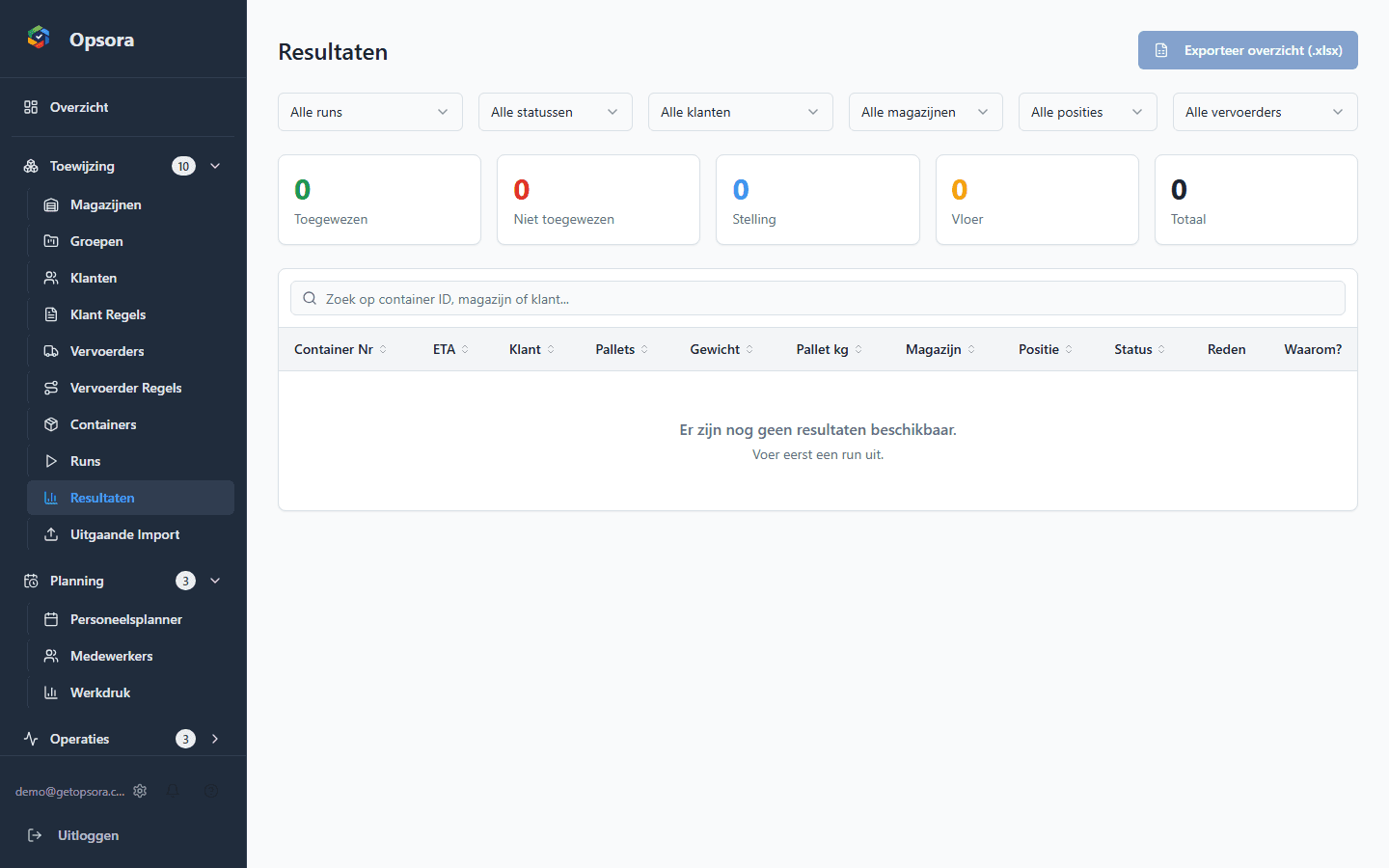
Allocate containers using capacity, customer rules, carrier restrictions and priorities.
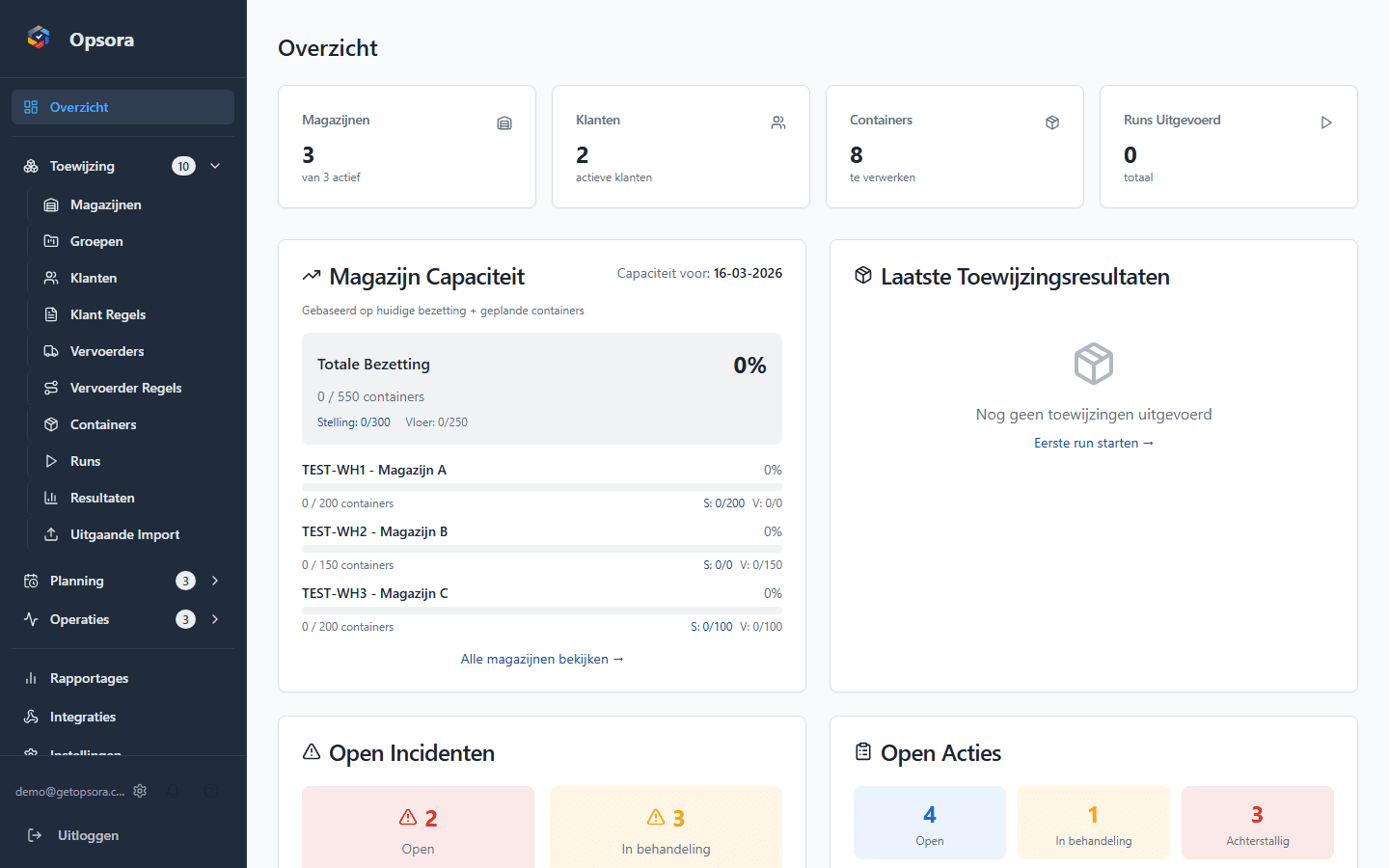
Opsora brings container allocation, crew planning, workload, incidents and operational actions together in one operating layer.
30 days Pro · guided onboarding · no credit card
7
operational modules
7 days
workload forecast
25+
roles & permissions
EU
database hosting
Warehouse operations runs on experience — but without the right tools, it costs you unnecessary time and energy every day.
Container planning scattered across spreadsheets, WhatsApp, and your best planner's memory. If they call in sick, everything stops.
Only by 4 PM do you know if you had enough crew today. Understaffing or overstaffing — either way, it costs you money.
An overloaded warehouse, a missed container, a crew shortage: you only hear about it after it's already gone wrong.
Management wants numbers, but you're busy managing all day. Tracking KPIs feels like a second job.
Opsora combines container allocation, capacity management, crew planning, incident registration, and reporting in one platform. Built from the daily practice of Dutch warehouses.
Start with your existing data, configure the operational rules and then use Opsora as the shared operating layer for day-to-day warehouse work.
Import container and crew data through Excel/CSV. Container imports support flexible column mapping.
Set customer rules, carrier restrictions, capacity and priorities centrally for the Allocator.
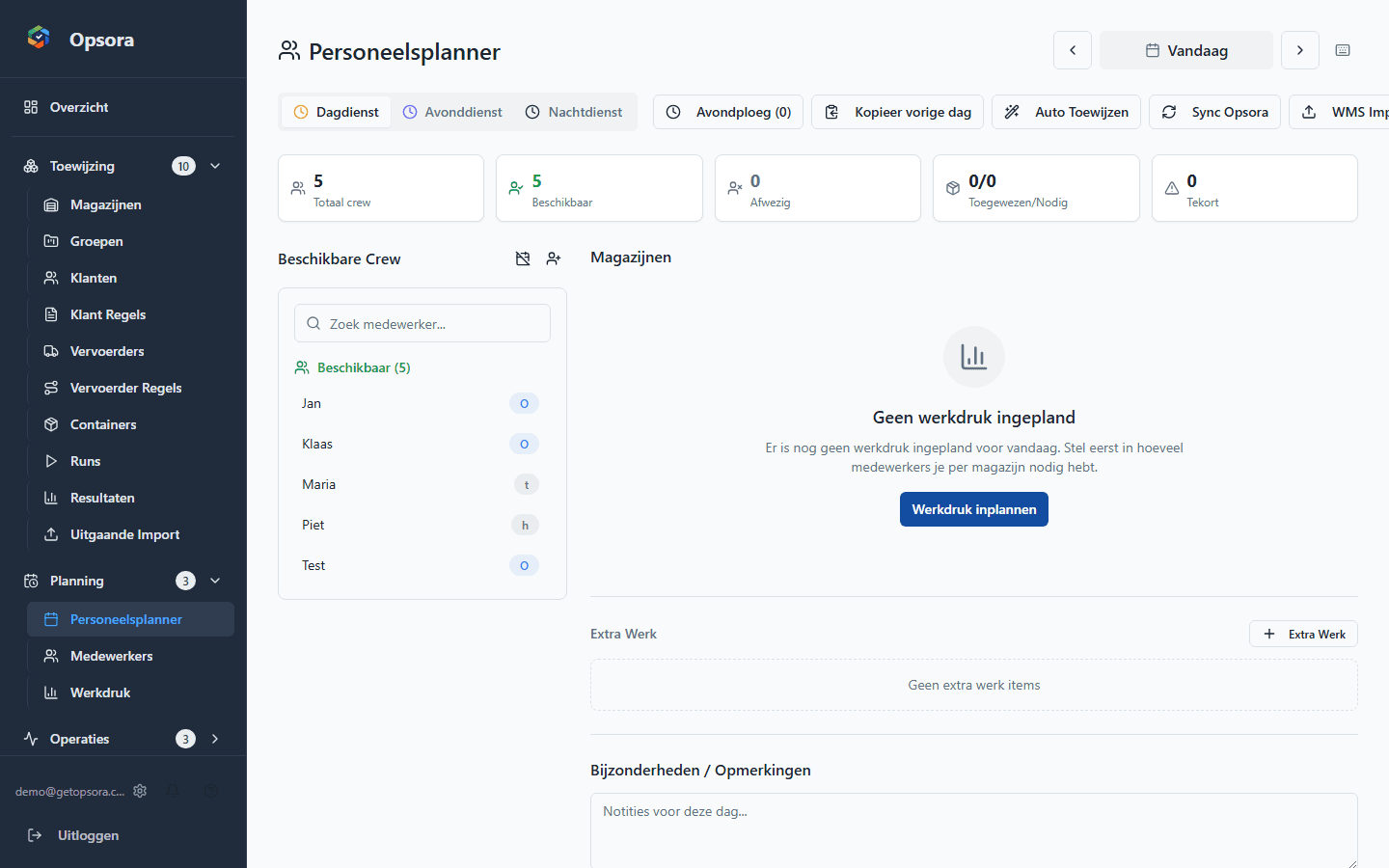
Allocate containers and plan day and evening crews. Availability, work zones and relevant crew attributes can be taken into account.
Track workload, incidents, actions and the daily briefing from the same platform.
From planning to follow-up
The core is Allocator, Crew Planner and Workload. The remaining modules keep exceptions, actions and reporting inside the same workflow.
Allocate containers using capacity, customer rules, carrier restrictions and priorities.
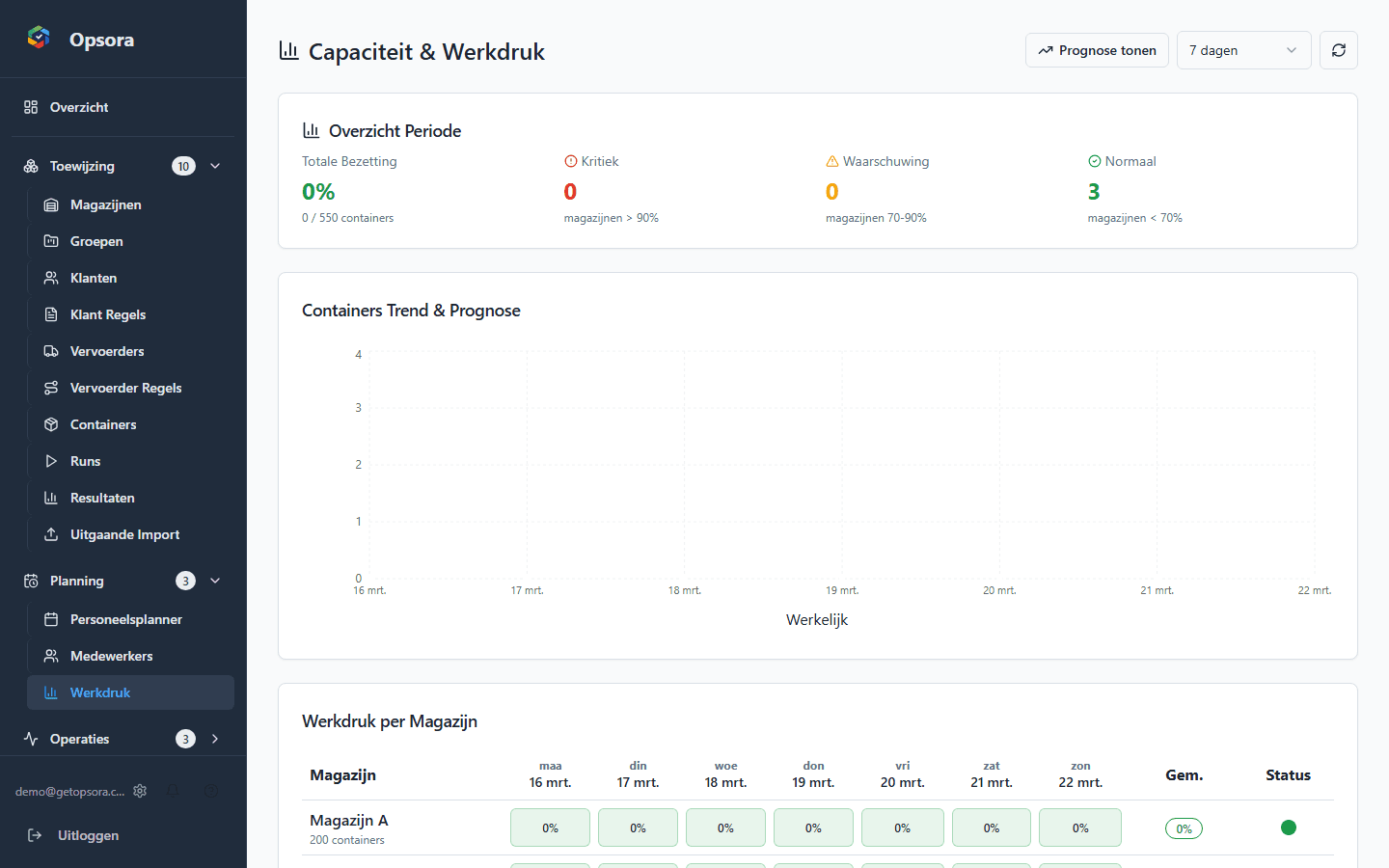
View workload per warehouse and a seven-day forecast.
Plan day and evening crews with drag-and-drop and support for availability and crew attributes.
Register incidents, track statuses and keep comments and attachments in one place.
Bring planning, workload, incidents and open actions together in one daily briefing.
Track operational KPIs and trends. Pro and Enterprise include exports and reporting in relevant modules.
Capture operational notes and manage actions with owners, deadlines, tags and recurrence.
Operating layer
Concrete capabilities that let planners and operational teams work from the same view.
1 view
for daily operations
Container allocation, crew planning, workload, incidents, notes and actions come together in one platform.
Rule-based
planning without scattered lists
Customer rules, capacity limits and carrier restrictions are centrally configured and applied.
7 days
look ahead
Workload forecasting gives planners earlier visibility into expected pressure and potential bottlenecks per warehouse.
Real-time
visibility into issues and actions
Incidents, open actions and operational notes are directly available to the team.
Ready to see it in your own operation?
Book a short demo. If there is a good fit, we can then set up a pilot around your own operational workflow.
30 days Pro · no credit card · guided onboarding